
If you like reading just about anything on the web, including my articles, in a pretty nicely rendered plain format with no ads or other distractions, you might want to try out arc90’s Readability.
All you do is drag a bookmarklet to your bookmark bar, and then on any article-like web page you can click on the bookmarklet to turn this:
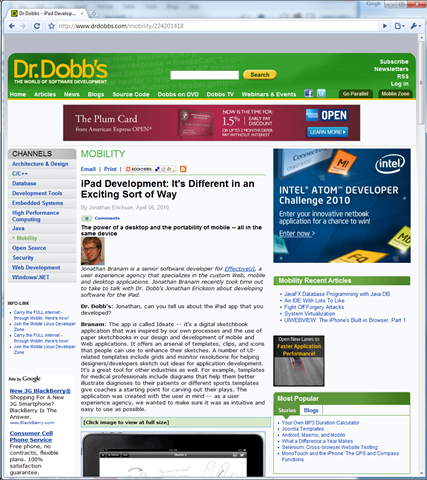
into this (with a few choices each for font, size, and margin):
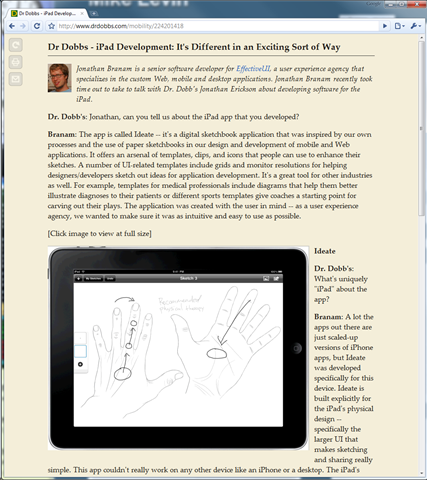
This lets you gain a lot in readability when all you want to do is read the article itself with basic text and graphics rendered fairly nicely. You do lose a little formatting, such as colored text which I sometimes use in my articles’ code examples, but the overall effect is pretty nice.
I’ll keep trying Readability out, especially on smaller-than-desktop screens, to see if it’s a keeper. So far the overall effect is pretty nice. Thanks to James P. Hogan for the tip, even if the link his page gives is broken.
Note: If you’re using Mobile Safari (i.e., iPhone or iPad) you’ll need to do a little bit more work because that software doesn’t currently support dragging the bookmarklet to its bookmark bar. Fortunately, there’s a workaround:
- Find the Javascript code. I just made the bookmarklet on a desktop browser and copied the code from there to an email to myself (some things are faster with a keyboard and mouse). Alternatively you can inspect the HTML using HTML Viewer right on the same device as Mobile Safari and cut-and-paste from that.
- In Mobile Safari, make a new bookmarklet.
- Edit it, and paste the Javascript code as the URL.
As has been true since the early Mac days in the 1980s, Apple products and SDKs make every piece of functionality either super easy if it’s supported, or super painful if it’s not. :-)
Pre-emptive snarky comment: Yes, I know some people will retort that Microsoft and Linux products are better, because at least they consistently make everything super painful all of the time… but I think that’s only half true.
 Sutter’s Mill